Fire extinguisher inspection app
Finish inspections faster. Leave the paperwork behind.
Purpose-built fire extinguisher inspection software helps technicians scan existing manufacturer labels, document service offline, review NFPA recommendations, and export professional PDF reports. No sticker or barcode rollout is required.
Looking for barcode-based tracking? See how our fire extinguisher barcode scanner alternative uses the manufacturer label already on the unit.


Available on iOS and Android
Built by a fire extinguisher technician.
No stickers
Start with the extinguishers already on site.
OCR technology
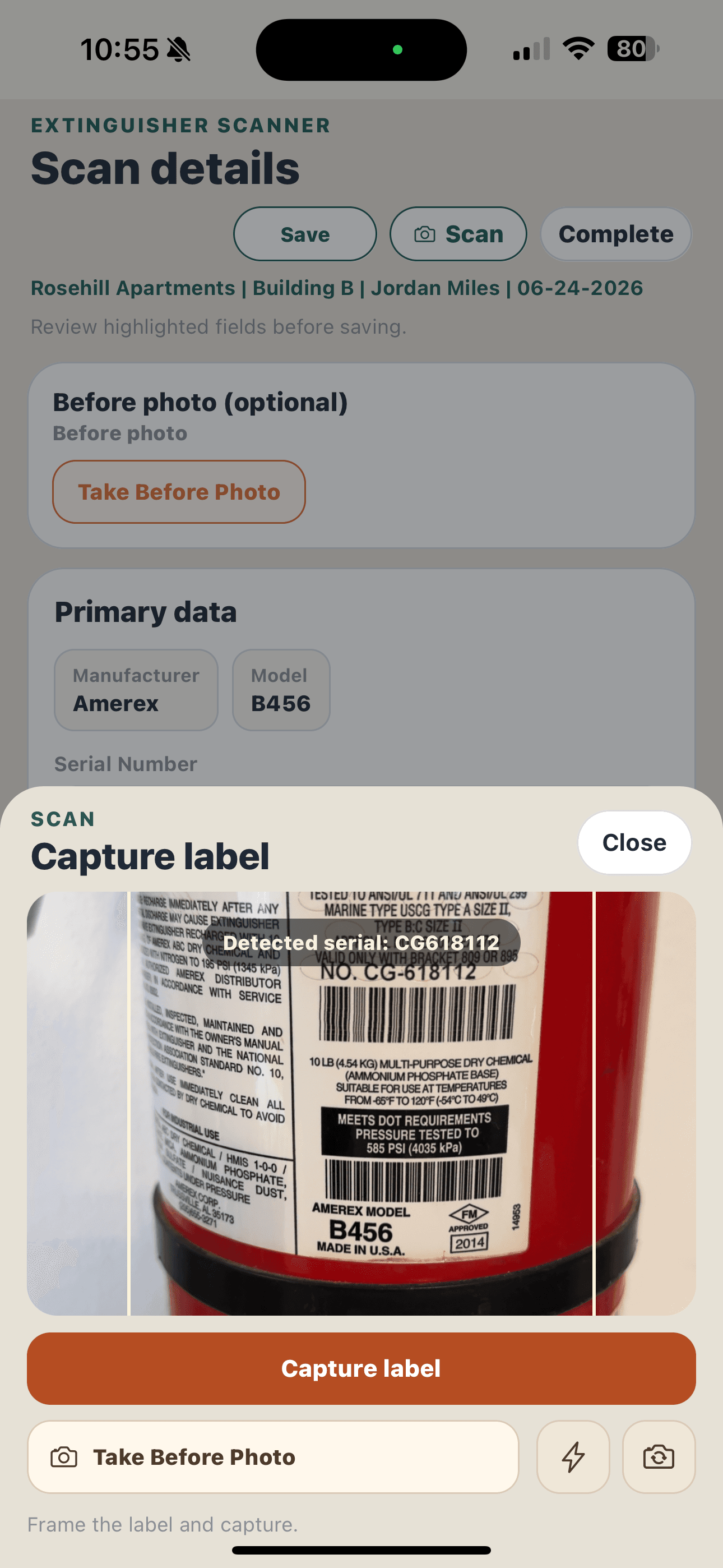
Capture label details instead of retyping.
Unlimited PDF exports
Export customer-ready PDFs as needed.
From the first label to the return visit
Walk through a field inspection.
Keep the equipment details, service findings, and supporting photos together as you move through the building. Review the records before exporting a report, then keep unfinished work visible for the return visit.
Step 1: Capture and review the label
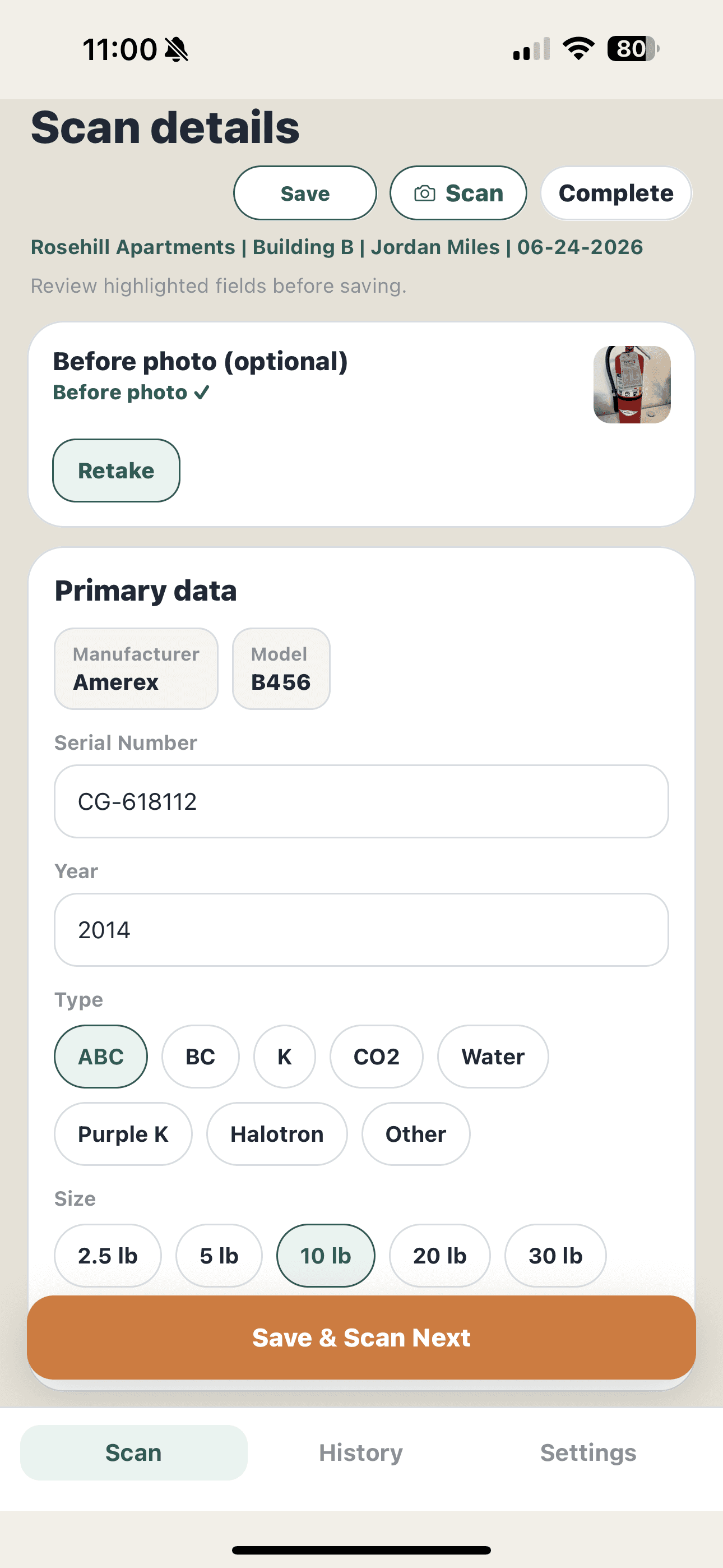
Scan the manufacturer label, then review the captured equipment details before moving on. Correct anything missing or misread so the saved record reflects the extinguisher in front of you.
Step 2: Record service and deficiencies
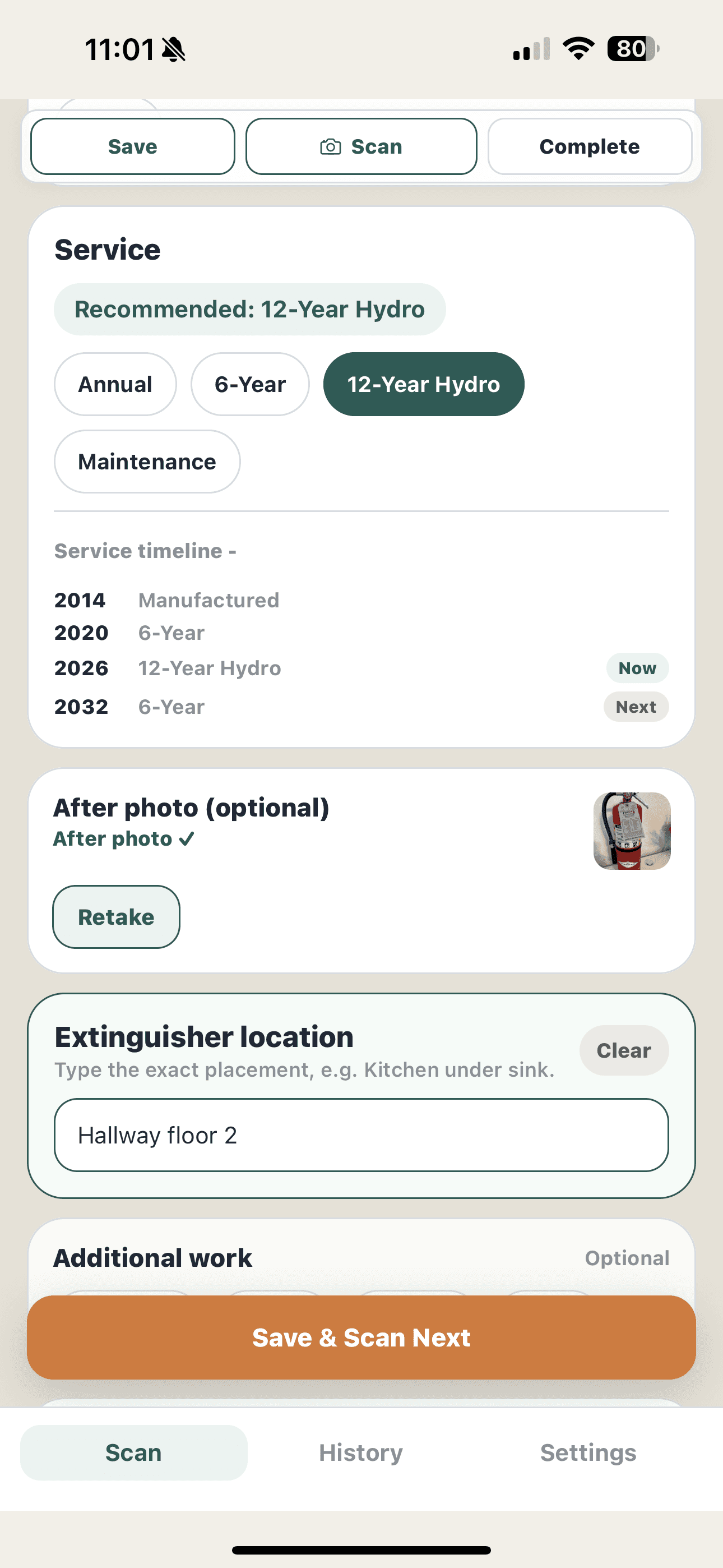
Review the service recommendations, record the work performed, and document any deficiencies. Add the location and notes that will help you identify the unit and understand what needs attention later.
Step 3: Attach photos when useful
Add photos to the equipment record to document the label, condition, or a deficiency. Use them alongside your written findings so someone reviewing the report can see the relevant detail.
Step 4: Save the record and scan the next unit
Use Save & Scan Next to save the equipment record on the device and continue with the next extinguisher. The saved records become the inspection history you can review before preparing the report.
Step 5: Review the inspection and export the PDF
Review the saved records and findings, complete the inspection workflow, and generate the PDF. Check the summary, equipment details, deficiencies, and photo documentation before sharing it with your customer.
Step 6: Track the return work separately
Use the return-visit workflow to track follow-up work. Record what was done and what remains outstanding, then review the item statuses before producing a return-visit report. Inspection completion does not mean every corrective task is finished.
Service recommendations support the technician's review. The technician remains responsible for verifying the equipment, choosing and performing the appropriate service, and following applicable standards, codes, and local requirements. A completed inspection or exported report does not certify compliance.
Inside the app
Capture details. Review service. Save the inspection.
Rosehill sample · dummy data
See what the inspection leaves behind.
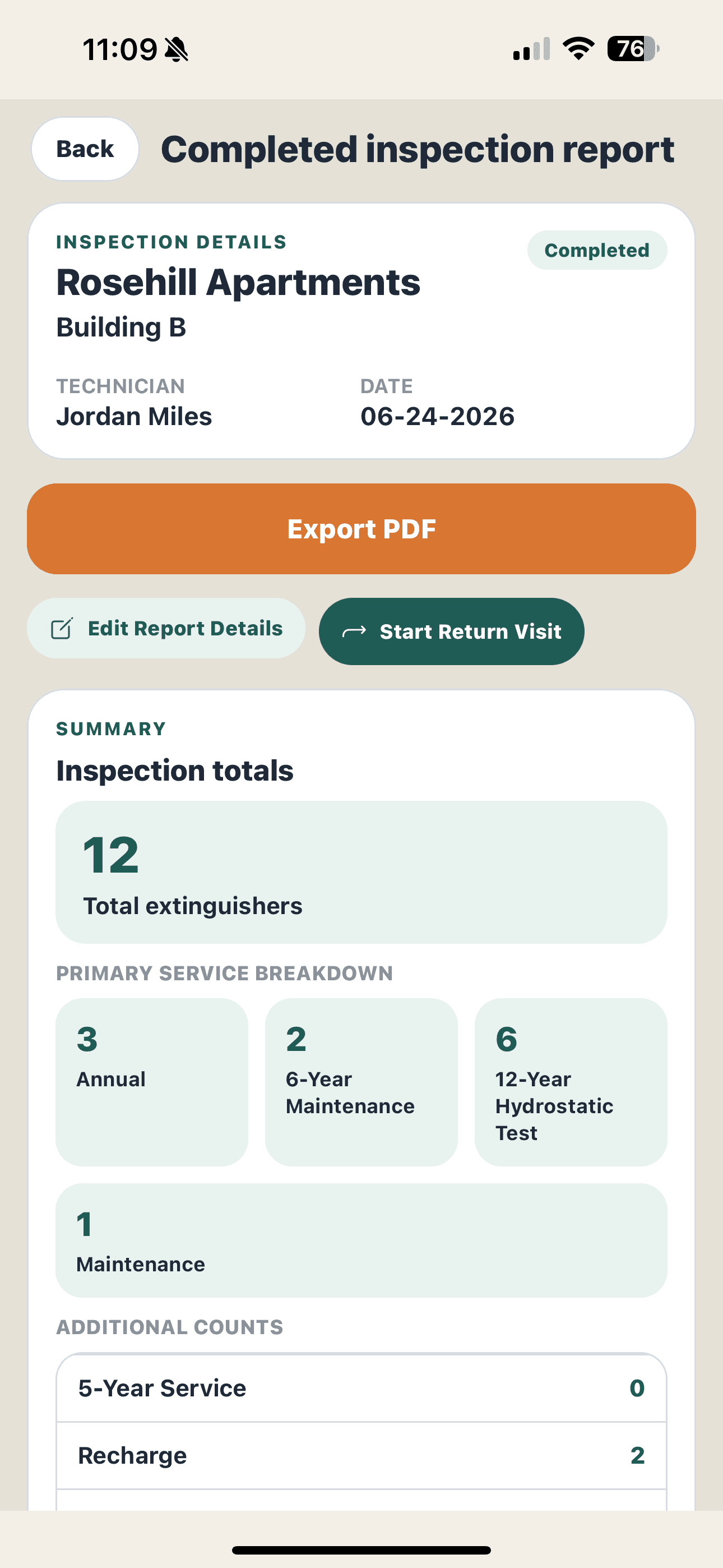
Rosehill Apartments, Building B shows how saved equipment details become a report and how follow-up work stays visible after the inspection is completed.
Explore selected crops from the June 24, 2026 inspection PDF, alongside progress from the app's Return Visit screen. These demonstration excerpts show individual report sections; they are not a complete report export.
A summary you can discuss with the customer
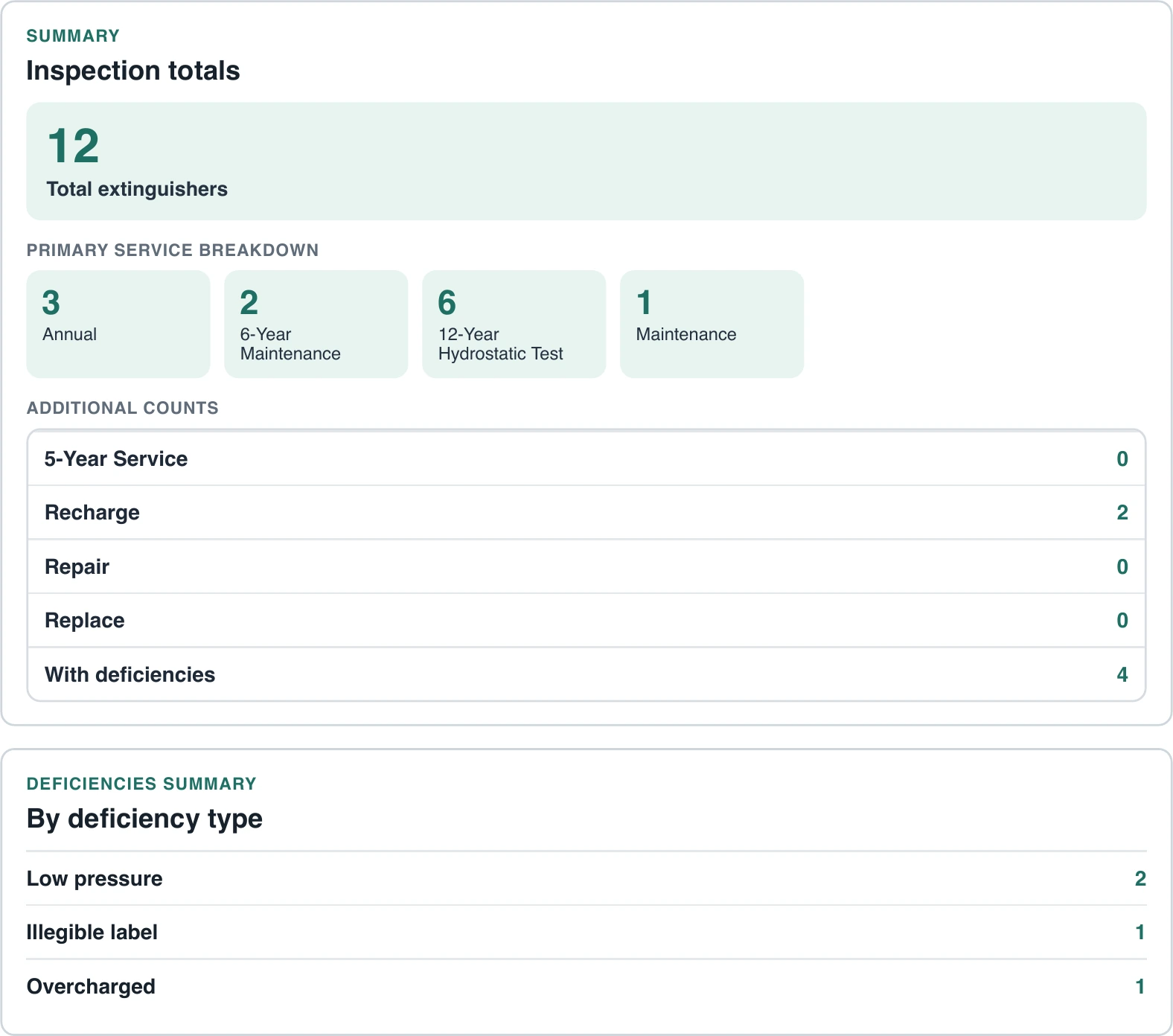
The sample lists 12 extinguishers and 4 with deficiencies: 2 low pressure, 1 illegible label, and 1 overcharged. Service totals and deficiency counts make the findings easier to review.
On a small screen, swipe the preview or use the arrow keys to see the full width.
Equipment details that identify the unit
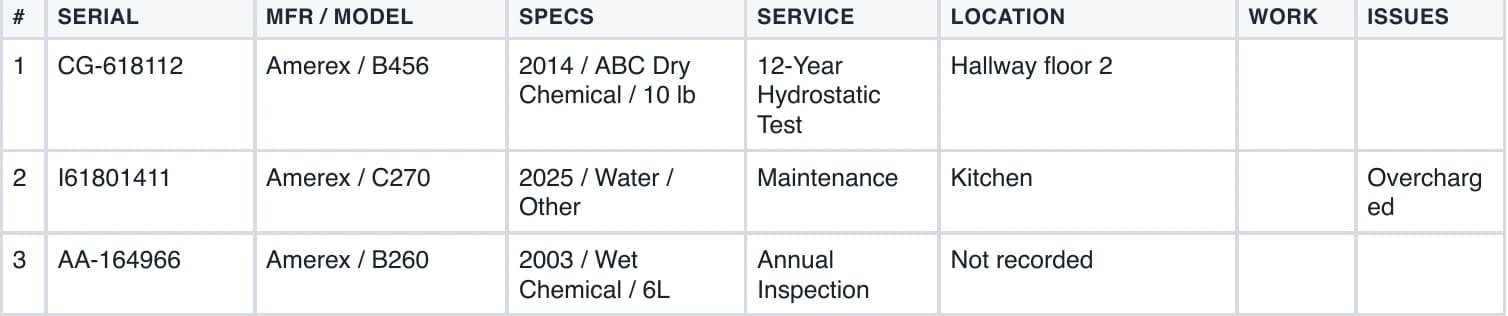
The first three rows connect serial number, manufacturer/model, specifications, service, placement, and issues. For example, CG-618112 is an Amerex B456, recorded in Hallway floor 2 with 12-Year Hydrostatic Test selected. Another row records an overcharged unit in the kitchen; the third honestly shows a location as “Not recorded.”
Swipe the table on a small screen, or use the arrow keys. The rows above are also described in text.
Photos beside the equipment record
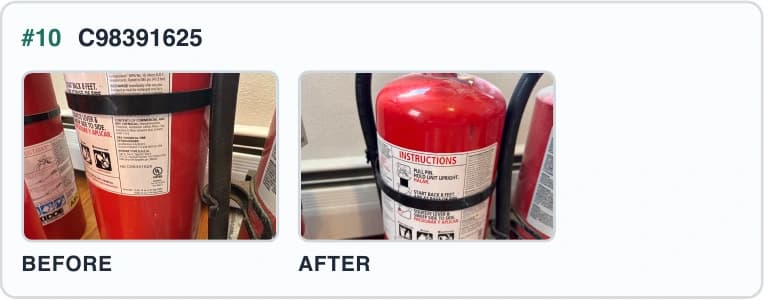
The PDF pairs before and after photos for unit C98391625, keeping visual context beside the equipment identifier. Review the photo documentation alongside the service entry and notes.
 Open photo crop at full size (new tab)
Completed inspection. Corrective work still open.
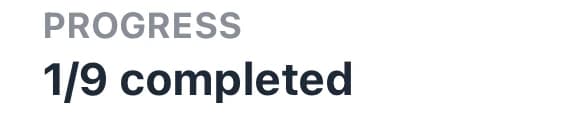
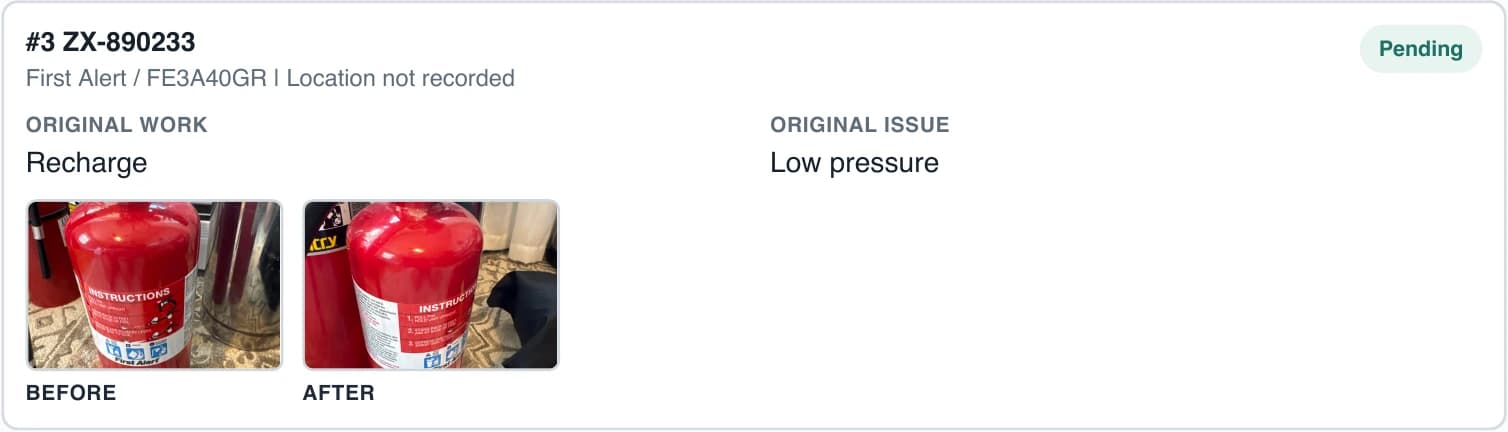
Rosehill's Return Visit screen shows only 1 of 9 follow-up items completed, with 8 pending. The PDF's follow-up card below marks unit ZX-890233 as Pending, with Recharge, Low pressure, and location “Not recorded.” Both photo fields are populated while the task is still pending. Finishing the inspection record does not mean every corrective task is finished.
Swipe the follow-up card or use the arrow keys to see the full width.
Review captured details, service recommendations, and the exported report. The app does not independently verify equipment condition or certify compliance. The technician and servicing company remain responsible for inspection decisions, report accuracy, and applicable requirements.
Before your first inspection
Practical questions, answered.
Know what runs in the field, how to keep your records, and what the current Pro subscription includes.
Which devices can I use for inspections?
Extinguisher Scanner is available for iPhone and Android and is designed specifically for mobile field inspections. The app also works well on iPad, although the experience is optimized for phones while technicians are moving through buildings and inspecting extinguishers.
What works offline, and when do I need internet?
Core label scanning, inspection entry, photos, saved records, and PDF generation work on the device. Account sign-in, subscription purchase or restore, and checks of Pro access need an internet connection. Go online to confirm your access before heading to a site with poor reception; ongoing Pro access can require an online check.
Sending a report through email or another online sharing service also needs connectivity. You can prepare the PDF in the field and send it when you are connected.
Where are my records stored, and how do backups work?
Inspection records and equipment history are stored locally on your device. Signing in does not synchronize those records to another device or create a shared cloud backup.
Export a local JSON backup and keep it somewhere safe. That backup contains photo file references rather than the photo files themselves, so keep your exported PDF reports and photos separately. Restoring a backup replaces the existing local records.
Can several technicians share the same inspection history?
Current Pro is intended for one technician using one device. It does not include a shared cloud workspace, automatic cross-device sync, or team accounts. Company Edition is not available for purchase yet.
How much is Pro, and who can use the free trial?
Pro is an auto-renewing subscription priced at $59.99 per month. A 14-day free trial is available for eligible subscribers. Eligibility is based on the applicable Apple App Store or Google Play account, not on creating a new Extinguisher Scanner account. Sign-in is required before purchasing or restoring. The store displays the authoritative price, eligibility, and offer terms before purchase.
Can I correct details that the label scan missed?
Yes. Review the captured details and manually correct missing or misread information before saving the record. Label condition, lighting, and the printed information can affect what is captured, so the technician should verify the result against the equipment.
Does a completed inspection mean all corrective work is done?
No. An inspection can be completed while deficiencies or return-work items remain outstanding. Review the individual findings and follow-up statuses to see what still needs attention; the return-visit workflow records that work separately.
The technician remains responsible for field verification, service decisions, and applicable standards, codes, and local requirements. Service recommendations and exported reports do not certify compliance.
Built for the route
Stop spending the evening rebuilding today's inspections.
Use inspection-first software that handles the equipment record, service history, photos, deficiencies, and final report.
Start with the product overview, compare Pro pricing, or open the iPhone and Android download page.
Available on iOS and Android